Run 2 Unblocked — Play Free Online
More Runners & Driving games



Run 2 unblocked: play Run 2 online free right here in your browser — no download, no sign-up, works on a school Chromebook.
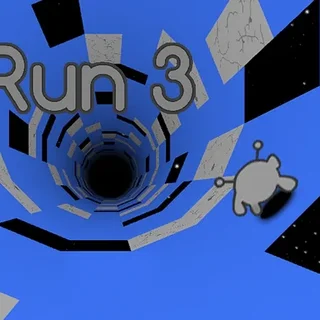
Run 2 is a legendary three-dimensional platformer that turns running into an acrobatic test of spatial awareness. Trapped inside floating tunnels suspended in deep space, your objective is straightforward: guide an agile gray alien through a gauntlet of crumbling tiles, yawning voids, and winding corridors. What sets the experience apart is its fluid gravity mechanics, allowing you to run up side walls and rotate the entire playing field in real time.
Every course demands rapid decision-making. As the runner sprints forward automatically, missing a platform sends you tumbling into the cosmic abyss, instantly resetting the stage. The pacing is intense yet forgiving, encouraging short trial-and-error runs where memorizing the layout and discovering alternate paths along the tunnel walls turns seemingly impossible obstacles into smooth, continuous lines.
On Learn to Fly 3, where many games center around long-term equipment upgrades and iterative flights, Run 2 offers an immediate, pure skill challenge. There are no currency bars to grind or rockets to buy—success depends entirely on your reaction time, rhythm, and route planning.
How to play
Controlling your character requires only a few essential keystrokes:
- Left and Right Arrow keys (or A and D): Steer left and right across the current surface. Running against the left or right wall shifts gravity, rotating the tunnel ninety degrees.
- Up Arrow, Spacebar, or W: Jump over pits, hop between disconnected platforms, or leap onto distant ledges.
- P or Esc: Pause the game to take a breather or adjust settings.
Before starting a run, click inside the game window once to ensure your browser focuses keyboard inputs on the canvas.
Choosing your character
Run 2 features two distinct playable characters, each altering how you approach every level:
- The Runner: The baseline character. The Runner moves at a steady pace and features a high, floaty vertical jump. This character offers maximum control in tight spaces and allows for precise landing adjustments on tiny tiles.
- The Skater: An advanced character unlocked as you progress. Gliding on roller skates, the Skater travels at a much higher velocity with lower, longer jumps. While harder to maneuver in cramped tunnels, the Skater can easily clear massive chasms that challenge the Runner.
Tips for navigating the tunnels
- Rotate early to avoid narrow hazards: When the floor ahead is riddled with missing tiles, look for solid walls to your left or right. Hopping onto a wall shifts the camera and gives you a completely fresh, flat surface to sprint across.
- Feather your jumps: Tapping the jump key lightly produces smaller hops, while holding it down yields maximum height. Use short hops on closely spaced platforms to prevent overshooting your landing.
- Watch for crumbling gray tiles: Certain light gray tiles collapse shortly after you step on them. Maintain forward momentum and jump immediately upon making contact.
- Use the pause menu to scout ahead: If a stage feels overwhelming at full speed, pausing mid-run gives your eyes a moment to locate safe pathways and wall transitions.
Similar games on Learn to Fly 3
If you enjoy the fast-paced reflexes and obstacle navigation of Run 2, explore the other action and driving titles available in our catalogue. Blumgi Rocket delivers rapid momentum-based physics puzzles where timing rocket boosts replaces wall-running. Flying Wheels Evolution tests your precision through obstacle courses with evolving wheel types, while Sky Mad brings high-speed aerial maneuvering for players who love spatial navigation in 3D environments.
Questions about Run 2
Is Run 2 unblocked at school?
Run 2 runs in an ordinary browser tab from learntofly3.org, with nothing to download or install, so it plays on most school Chromebooks and work computers. If a network filter blocks the site, only that network's administrator can change it.
What is the difference between the Runner and the Skater in Run 2?
The Runner moves at a standard speed and has higher vertical jumps for precise platforming. The Skater moves significantly faster with longer horizontal leaps and smoother turning momentum.
How does gravity shifting work in Run 2?
Running or jumping onto a side wall causes the entire tunnel to rotate ninety degrees. The wall becomes your new floor, letting you bypass gaps and find alternate paths through each level.
What controls are used to play Run 2 on keyboard?
Use the Left and Right Arrow keys or A and D to steer and shift onto walls. Press the Up Arrow, Spacebar, or W to jump across gaps and floating platforms.
Can I play Run 2 directly in my web browser?
Yes, Run 2 runs entirely in modern HTML5 browsers with no installation, extra plugins, or account setup required.