OvO Unblocked — Play Free Online
More Runners & Driving games
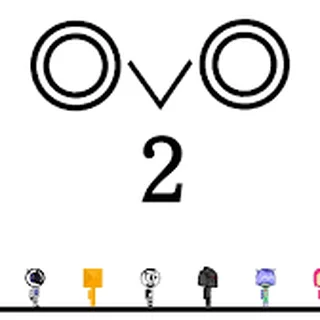






OvO unblocked: play OvO online free right here in your browser — no download, no sign-up, works on a school Chromebook.
OvO is a precision parkour platformer that strips away visual clutter to focus entirely on fluid momentum and speed. Controlling a minimalist stick figure, you sprint through compact obstacle courses packed with spikes, crushing hazards, and tight gaps. The objective in every stage is simple: navigate the terrain and reach the flag in the shortest time possible without clipping any lethal surfaces.
What elevates the experience is how smoothly the movement mechanics chain together. Rather than simply running and jumping, you constantly slide across flat surfaces, dive out of the air to hit switches, and wall jump up sheer vertical shafts. Every mistake resets your character instantly, keeping the pace brisk and encouraging you to refine your timing until your route feels seamless.
While many games on Learn to Fly 3 revolve around gradual upgrades and long-distance progression across many launches, OvO offers a complementary test of pure mechanical reflex. It demands instant decision-making and spatial awareness, making it an ideal challenge when you want high-intensity platforming action directly in your browser.
How to play and master movement
Getting your character moving requires only a few basic inputs, but mastering their momentum takes practice:
- Running and steering: Press the Left and Right arrow keys or A and D to build horizontal speed.
- Jumping and wall kicks: Hit the Up arrow, W, or Space to leap. Pressing jump while sliding against a flat wall launches you upward and outward.
- Sliding: Tap Down or S while running along the ground to duck under low ceiling hazards and maintain forward momentum.
- Ground pounding: Press Down or S while in mid-air to drop straight down, which is essential for triggering floor pads or resetting your landing quickly.
Tips for faster stage times
Trimming seconds off your personal best requires using the physics engine to your advantage rather than relying solely on standard jumps:
- Chain slide jumps: Pressing jump immediately after starting a slide carries your sliding speed into the air, allowing you to clear wide pits far faster than an ordinary running leap.
- Cancel dives into slides: If you perform a ground pound onto a downward slope, holding Down lets you transition directly into a high-speed slide upon impact.
- Prioritize survival over coins: Each level features optional collectible coins placed in tricky positions. Focus on learning the hazard layout and reaching the flag first, then return for the coins once your route is consistent.
- Limit wall contact: Wall sliding slows down your descent, but excessive wall contact bleeds horizontal velocity. Bounce off surfaces cleanly to preserve forward drive.
Similar games on Learn to Fly 3
If you enjoy the fast reflexes and quick restarts of OvO, explore other titles in our collection:
- Blumgi Rocket: Delivers fast acrobatic challenges focused on propulsion and sharp trajectory control.
- Learn to Fly 2: Swaps twitch reflexes for strategic upgrades, launching penguins across ice fields over repeated sessions.
- Burrito Bison: Revenge: Combines launch mechanics with explosive momentum, letting you smash through obstacles across sprawling arenas.
Because it requires no downloads or installations, OvO is well suited for quick practice sessions between longer gaming sessions. Plug in a keyboard for the sharpest control response and see how fast you can clear the course.
Questions about OvO
Is OvO unblocked at school?
OvO runs in an ordinary browser tab from learntofly3.org, with nothing to download or install, so it plays on most school Chromebooks and work computers. If a network filter blocks the site, only that network's administrator can change it.
What are the primary controls for OvO?
Use the Left and Right arrow keys or A and D to run, Up or W or Space to jump, and Down or S to slide and ground pound. Chaining slides directly into jumps provides a substantial speed boost.
How do you perform a slide jump in OvO?
Press Down while sprinting along flat ground to begin sliding, then immediately hit the Up arrow or Space key. This preserves your sliding velocity while launching your character across wide gaps.
Is progress saved between levels in OvO?
Yes, your cleared stages, collected coins, and fastest stage completion times are stored locally in your browser cache so you can continue your run later.
Can you play OvO with a touch screen?
While on-screen buttons may appear on mobile devices, OvO requires precise micro-adjustments and rapid multi-key combinations that are best experienced using a physical keyboard.