Learn to Fly Unblocked — Play Free Online
More Learn to Fly games
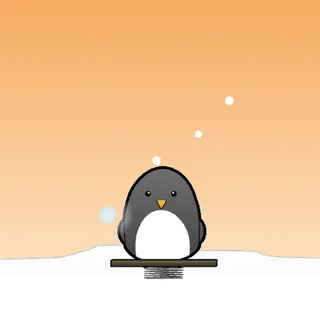




Learn to Fly unblocked: play Learn to Fly online free right here in your browser — no download, no sign-up, works on a school Chromebook.
Learn to Fly is where the whole series starts: a penguin with a dream, a snowy ramp and a very short first flight. There is no level select and no story to sit through. You launch, you flap and glide until you run out of height and speed, and then you tally what you earned and spend it on the next attempt.
That loop is the reason the game is hard to put down. The first day ends after a few seconds in the air. The second day ends a little later, because you bought something. By the time you can hold a long glide, the early runs feel like a different game. If you came to this site for Learn to Fly 3, this is the simpler, slower-burning ancestor, and it shows where the later games got their upgrade rhythm.
How to play
Use the mouse for everything outside a flight: menus, the shop and the upgrade screens. Once the penguin is sliding down the ramp, the left and right arrow keys tilt him. Space fires the rocket, but only after you have bought one, so on the first few days the arrow keys are all you have.
Each attempt is one day. The ramp gives you your starting speed, then you steer to stretch the glide. When the flight ends you are paid for the distance you covered, and the shop is where that money goes: a better ramp, a glider, a rocket. The goal is to keep buying until you can reach the distance target.
Tips
- Spend on the upgrade that changes your next launch most. A stronger start makes every later purchase count for more.
- Small tilts beat big ones. Pointing the nose sharply down trades height for speed, and pulling up too hard bleeds the speed you just gained.
- Save the rocket for when you are already moving. Firing it early wastes the push you get from the ramp.
- Do not read a short flight as a failure. Every run pays something, so a bad day still moves you toward the next purchase.
Similar games on Learn to Fly 3
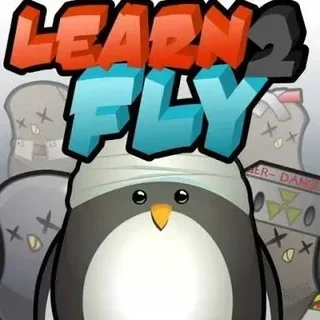
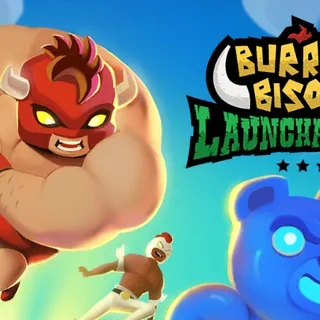
Learn to Fly 2 and Learn to Fly 3 keep the same launch, earn and upgrade cycle and add more to buy and more to fly through. Burrito Bison: Launcha Libre swaps the penguin for a luchador who bounces off gummy bears, and Earn to Die turns the same idea into a drive across a road full of zombies. If you want another short flight-and-upgrade game, Blumgi Rocket and Sky Mad are both on the site.
Learn to Fly runs in the browser with nothing to install. Runs are short, so it suits a few minutes at a time, and the mouse-plus-arrow-keys setup is easiest on a keyboard.
Questions about Learn to Fly
Is Learn to Fly unblocked at school?
Learn to Fly runs in an ordinary browser tab from learntofly3.org, with nothing to download or install, so it plays on most school Chromebooks and work computers. If a network filter blocks the site, only that network's administrator can change it.
What are the controls in Learn to Fly?
Use the mouse for menus and the shop. In flight, the left and right arrow keys tilt the penguin, and Space fires the rocket once you have bought one.
How do upgrades work?
Each flight pays money based on the distance you covered. You spend it in the shop on a better ramp, a glider and a rocket, then launch again.
Is Learn to Fly free?
Yes. It plays free in your browser on learntofly3.org, with no download or account.
Can I play Learn to Fly on a phone?
It runs in a modern browser, but the flight controls use the arrow keys and Space, so a keyboard is the easiest way to play.