Flying Wheels Evolution Unblocked — Play Free Online
More Launch & Upgrade games










Flying Wheels Evolution unblocked: play Flying Wheels Evolution online free right here in your browser — no download, no sign-up, works on a school Chromebook.
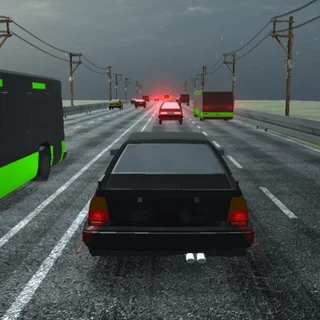
Flying Wheels Evolution puts you behind the wheel of customizable vehicles hooked up to a massive roadside slingshot. Instead of shifting gears down an ordinary drag strip, you pull your car backward against thick elastic bands, set your launch angle, and fling yourself down a long stretch of highway packed with ramps, coins, and obstacles.
Every launch translates distance, airtime, and speed into cash. In the early runs, your starter car barely makes it past the first few hills before scraping along the tarmac to a halt. As your wallet grows, you can invest in engine power, nitro boosts, lighter chassis frames, and more flexible slingshot cords that send you flying hundreds of meters further.
Fans of classic launch games on Learn to Fly 3 will feel right at home with this progression loop. The core thrill comes from that steady rhythm of testing your limits, tweaking an upgrade or two, and watching your next attempt break clean through your previous distance record.
How to play
Getting airborne requires just a mouse or touch controls. Click or tap on the vehicle resting between the two launch posts, pull it backward to build tension on the slingshot, and release to send it hurtling forward. The angle and distance of your pull determine both your initial trajectory and starting speed.
Once in the air, click or tap anywhere on screen to fire your active nitro boost. Timing this burst is crucial—triggering it on an upward arc or just as you bounce off a downhill slope carries your momentum much farther than burning it while flat on the pavement. When your car finally slides to a stop, the run summary calculates your earnings so you can buy upgrades before your next launch.
Tips for longer flights
- Save your nitro for steep inclines: Firing your rocket booster right before hitting an upward ramp multiplies your vertical lift and keeps you airborne longer.
- Invest in slingshot tension early: Boosting your initial launch force gives every single run a higher baseline speed, making coin collection easier right from the start.
- Bounce to preserve momentum: Try to touch down on downward slopes rather than flat ground to maintain forward speed and trigger extra bounce distance.
- Balance speed and fuel: Upgrading top speed is only half the battle; make sure you purchase fuel capacity so your boost lasts long enough to bridge wide gaps.
Similar launch games on Learn to Fly 3
If you enjoy the upgrade loop of Flying Wheels Evolution, check out the other launch and distance games in our catalogue. Learn to Fly 2 offers deep glider and payload customization with mission-based objectives, while Burrito Bison: Launcha Libre combines elastic ring launches with bouncy wrestling pinatas. For players who prefer ground-based survival runs through obstacle courses, Earn to Die delivers a gritty vehicular upgrade experience.
Flying Wheels Evolution runs directly in your web browser with no downloads or plugins required, making it easy to jump in for a quick launch session on desktop or mobile devices.
Questions about Flying Wheels Evolution
Is Flying Wheels Evolution unblocked at school?
Flying Wheels Evolution runs in an ordinary browser tab from learntofly3.org, with nothing to download or install, so it plays on most school Chromebooks and work computers. If a network filter blocks the site, only that network's administrator can change it.
What is the main objective in Flying Wheels Evolution?
Your goal is to launch your vehicle as far down the highway as possible, earning coins based on distance and stunts to unlock upgrades and new cars.
How do you trigger nitro boosts during a launch?
Click or tap anywhere on the screen while your car is airborne to activate your nitro rocket and gain extra speed.
Can you play Flying Wheels Evolution on mobile devices?
Yes, the game is built with HTML5 and supports touch controls on smartphones, tablets, and desktop browsers.