Blumgi Rocket Unblocked — Play Free Online
More Launch & Upgrade games



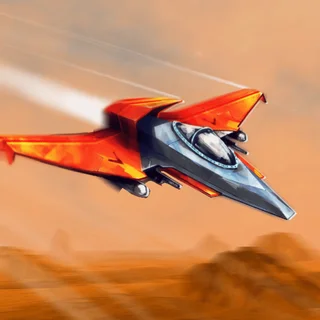





Blumgi Rocket unblocked: play Blumgi Rocket online free right here in your browser — no download, no sign-up, works on a school Chromebook.
Blumgi Rocket is a fast-paced physics platformer where high-speed driving meets aerial rocket propulsion. Instead of navigating traditional race tracks, you pilot compact vehicles equipped with a powerful rear thruster across short, treacherous obstacle courses. Every stage challenges you to judge angles, launch off steep ramps, and fire your rocket engine at the exact right instant to soar over hazards and touch down on the finish platform.
For fans of the distance and momentum mechanics on Learn to Fly 3, Blumgi Rocket delivers a snappier, arcade-style spin on physics flight. While classic launch games focus on buying long-term equipment upgrades over dozens of test flights, Blumgi Rocket strips the loop down to pure reflex, midair balance, and instant restarts. A single run takes only a few seconds, making it easy to experiment with different jump trajectories until you clear a tricky course.
How to play
The driving controls are straightforward and accessible on both keyboard and touchscreen setups:
- Drive and Accelerate: Press and hold the Up Arrow, W key, or Spacebar (or touch and hold the screen) to roll your vehicle forward.
- Activate Rocket Boost: While moving or airborne, trigger your boost key to fire the thruster and blast through the air in the direction your nose is pointing.
- Steer in Midair: Releasing and repressing the boost alters your vehicle rotation, letting you adjust your pitch before hitting the ground.
Each level presents a distinct layout filled with ramps, tunnels, moving barriers, and gaping chasms. Your objective is simply to reach the checkered finish line without getting stuck upside down or falling out of bounds. If your car flips or stalls, you instantly respawn at the starting gate with no penalty, encouraging aggressive stunts and creative flight paths.
Tips for mastering rocket jumps
- Time your booster bursts: Firing the rocket continuously can flip your car backward or overshoot the landing platform. Tap the thruster in short pulses to maintain a stable horizontal trajectory.
- Use ramps for launch angle: Build momentum along the incline before engaging the rocket. Launching at an upward angle gives you much more hang time to glide across wide gaps.
- Level out before landing: Try to orient your vehicle so all wheels touch down evenly. Landing flat absorbs impact smoothly and prevents your car from tumbling out of control near the goal.
- Unlock new rides: As you clear stages, you earn access to fresh vehicle designs in the garage. While all vehicles share the same core physics, testing different chassis styles keeps each run feeling fresh.
Similar games on Learn to Fly 3
If you enjoy the physics-based aerial navigation in Blumgi Rocket, the catalogue features several great alternatives. Stickman Hook tests your grasp of momentum through rhythmic grappling swings rather than rocket engines. For players who prefer managing long-term upgrades alongside trajectory launches, Burrito Bison: Launcha Libre offers satisfying destruction and sustained flight. Meanwhile, Flying Wheels Evolution focuses on vehicular progression across obstacle-laden terrain.
Blumgi Rocket runs smoothly right in your web browser with no downloads or plugins required. Whether you have five minutes to tackle a handful of puzzle stages on a phone or want to power through dozens of levels on a keyboard, it offers an instant dose of chaotic rocket stunt action.
Questions about Blumgi Rocket
Is Blumgi Rocket unblocked at school?
Blumgi Rocket runs in an ordinary browser tab from learntofly3.org, with nothing to download or install, so it plays on most school Chromebooks and work computers. If a network filter blocks the site, only that network's administrator can change it.
How do you control the car in Blumgi Rocket?
Hold the drive key (Up Arrow, W, or Spacebar) to accelerate, and press it again to fire your rocket boost. On mobile devices, touch and hold the screen to drive and boost.
How do you unlock new vehicles in Blumgi Rocket?
Completing levels and hitting progression milestones unlocks a variety of new vehicle models and colorful skins in the garage.
Does Blumgi Rocket save your level progress?
Yes, your cleared stages and unlocked vehicle skins are saved automatically in your local browser cache as long as you stay on the same device and browser profile.
Can you play Blumgi Rocket on touchscreens and Chromebooks?
Yes, Blumgi Rocket runs directly in any modern HTML5 web browser, supporting touch controls on phones and tablets as well as keyboard inputs on Chromebooks and PCs.